Hello friends,……
Once again, welcome to Techwithrohit.in, 💻🖥️⚙️🔧…..
Is your Windows laptop becoming slow day by day? Many people face this problem after using their laptop for some time. A slow laptop can waste your time and make work difficult. The good news is that you do not need to be a computer expert to fix it. In this article, we will share 5 easy tips that can help speed up your Windows laptop and improve its performance in a simple way.
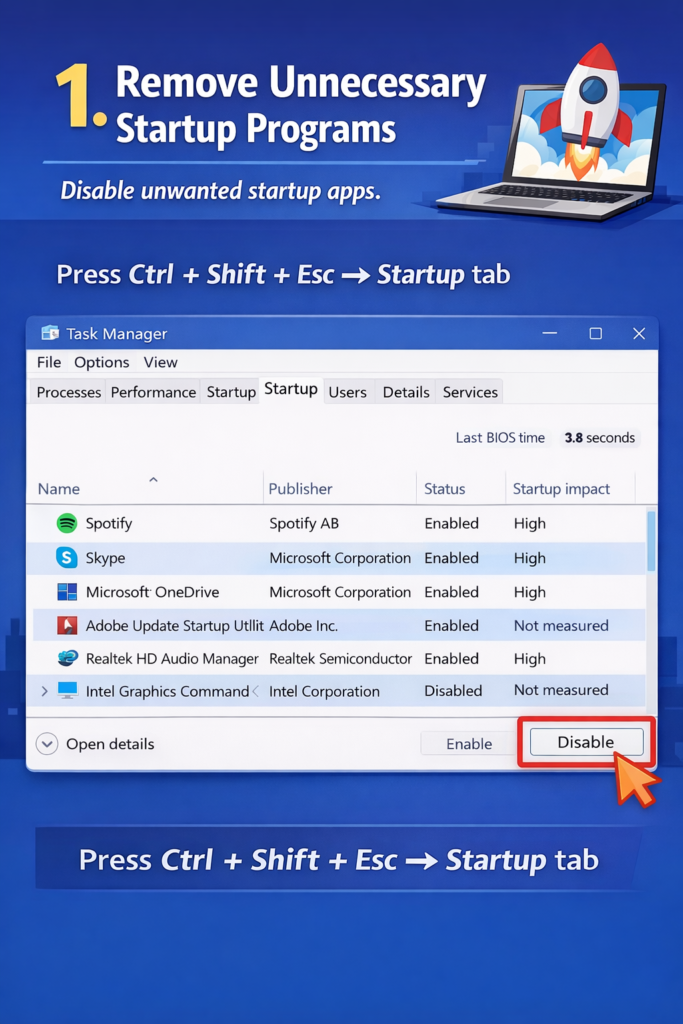
1. Remove Unnecessary Startup Programs
How to Disable Startup Apps:
- Press Ctrl + Shift + Esc
- Open Task Manager
- Click on the Startup tab
- Disable apps you do not need
Try to keep only important apps enabled.
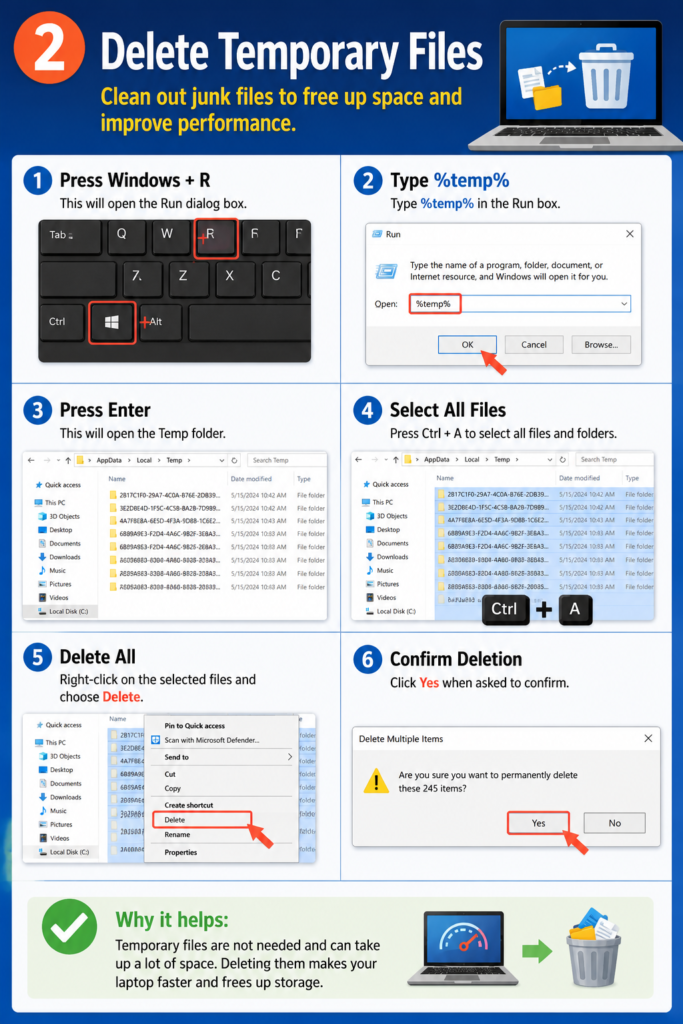
Delete Temporary Files
Your laptop stores small useless files over time. These slow it down.
1. Press Windows key + R
2. Type %temp% and hit Enter
3. Select all files (Ctrl + A)
4. Delete them
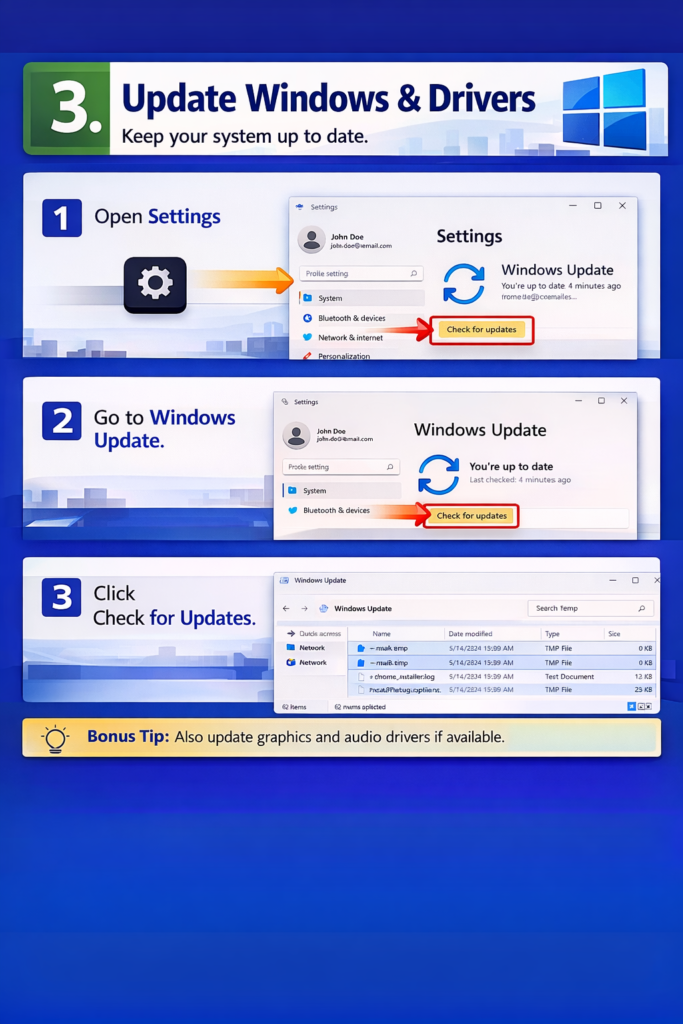
3. Update Windows and Drivers
How to Update Windows:
- Open Settings
- Click on Update & Security
- Click Check for Updates
- Install any pending updates
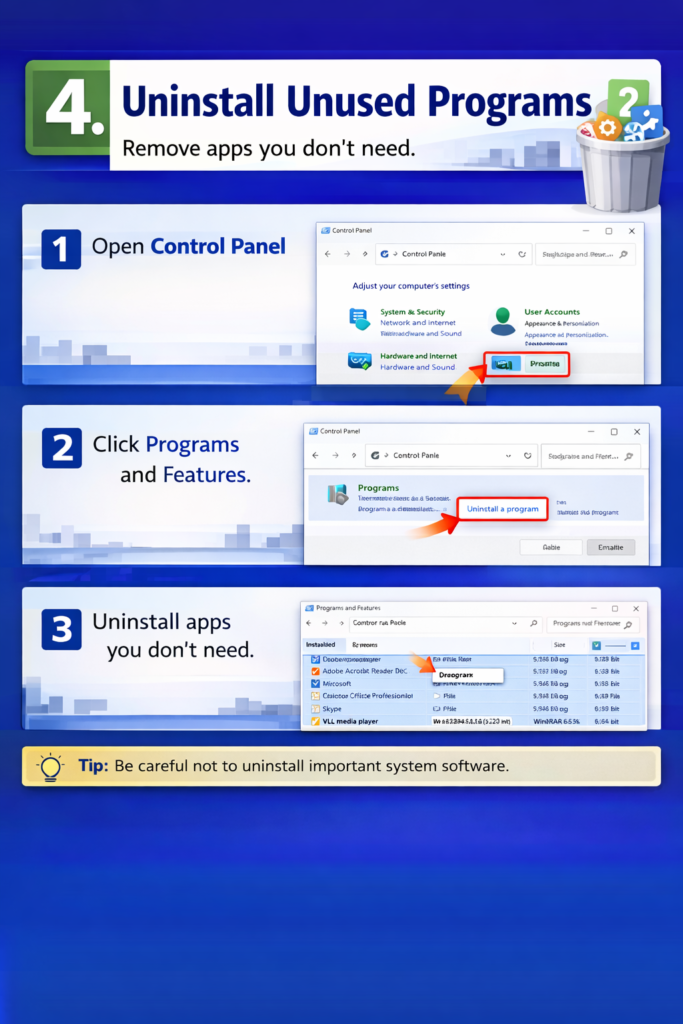
4. Unistall Unused Programs
How to Uninstall Programs:
- Open Control Panel
- Click Programs and Features
- Select the unused app
- Click Uninstall
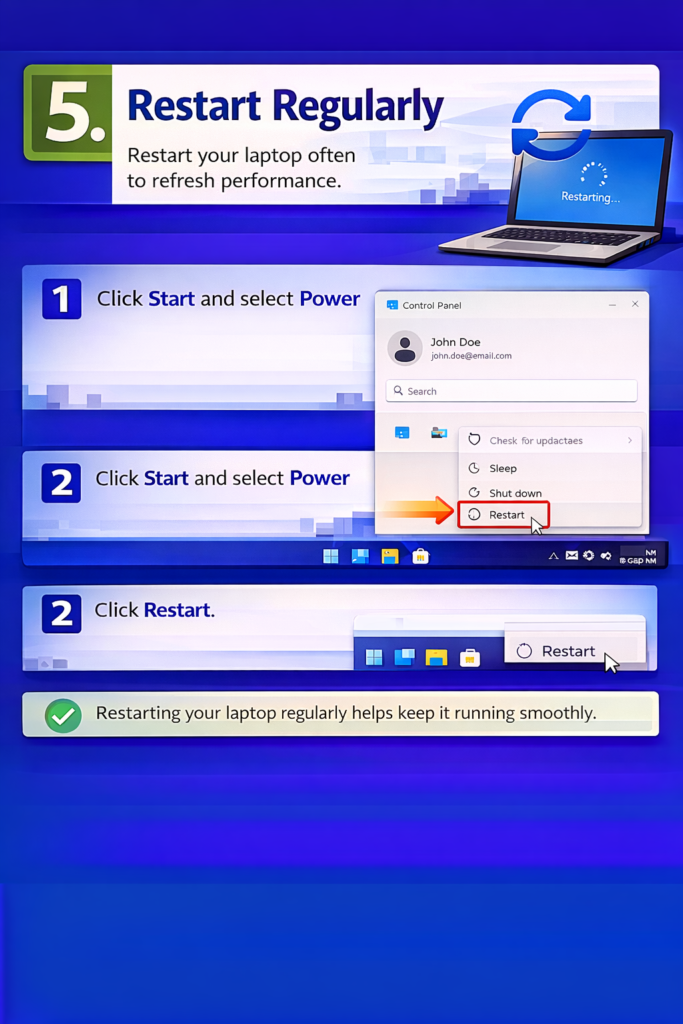
5. Restart Regularly
How to Restart Your Laptop:
- Save your work first
- Click on the Start menu
- Click on Power
- Select Restart
That’s it, friends! Just follow these 5 easy steps, and your laptop will feel fast and happy again, just like new! 😊💻
Thank you for reading my Post in Hindi Topic. Agar koi bhi Information galat ho to aap hume Comment karke zaroor bataye |
🙏🙏🙏🙏🙏 ✥══ ━━━━━✥ ❉ ✥━══━━━━━✥